Here's a copy-paste-ready snippet implementing a javascript profanity check:
Enjoy.
Showing posts with label Javascript. Show all posts
Showing posts with label Javascript. Show all posts
Saturday, February 11, 2012


Friday, December 17, 2010
How to load text files with jQuery
I was looking into this to help out @tarelli with one of his crazy tasks from hell (spare you the details). Here's how you go about loading local files using jquery:
// LOAD file
$.get('file:///C:/myPath/myFile.txt', function(data) {

    var lines = data.split("\n");

    $.each(lines, function(n, elem) {
       $('#myContainer').append('<div>' + elem + '</div>');
    });
});
This will only work if you double click on the file that executes the script, obviously a web-server shouldn't allow you to go mess around in the file system (I tried on IIS and couldn't fool it, damn). Obviously the same snippet can be used to load files on a web-server by providing a url to an accessible file.
Notes:
- couldn't get it to work without specifying the file full path in format file:///C:/myPath/myFile.txt
- to get this to work on chrome you'll have launch it with the --allow-file-access-from-files cmd line arg
Wednesday, September 29, 2010
Javascript - strip off illegal characters from string
Recently had to come up with a piece of javascript to strip off a set of illegal characters from strings before passing down to the persistance layer.
Took me a while to come up with a regex for the replace, not because it's particularly difficult, but because I suck at regexes (and I am no js expert either).
I thought it could be handy to have this functionality as a string prototype:
// strips off illegal chars &%$
String.prototype.stripOffIllegalChars = function() {
 return this.replace(/[&%$]/g, "");
}
It can be used like this on any string:
var dirtyString = "blah$blah%blah&";
var cleanString = dirtyString.stripOffIllegalChars();
Wednesday, February 24, 2010
Falling in line to the (micro)templating frenzy
A few weeks ago I would've laughed in your face if you told me I was gonna fall in line to the templating frenzy that seems to be spreading like a virus between coders. Now - one way or the other - I seem to be infected.
I recently tackled the challenge of generating a DTO layer (including mapping logic) from WCF service client using T4 (with no editor whatsoever - don't get me started). I honestly thought I was gonna blog about that sooner or later but then I immediately got shuffled around like a puppet to some front-end work (I am talking web here) and faced the lame-ass ordinary challenge of dynamically injecting repetitive structures into a given page in response to a given event (click-click-click-click ... click).
Coming from that T4 work, templating obviously came to mind as a way not to get bored: wouldn't it be great if there was something like T4 for js? It sounded crazy at first, but I started looking into it and immediately found the John Resig Micro-Templating engine.
There was no way I was gonna pass on that and, to be honest, the only alternatives were pretty lame:
- implement your own templating engine
- shamelessly hard-code the markup to inject in your .js functions (as I always did before)
So I started playing with it and managed to stumble upon the Rick Strahl variation to it, which actually uses T4 syntax (it sure doesn't look like a coincidence) and also has a nice addition for error handling.
Anyway, this is getting too long: here's an example where I am adding divs with a bunch of input fields to a container, ids are generated at runtime depending on how many divs we have in there. It's ugly as fuck it gets, but it drags the message across (I think).
Let's start:
you need to shove the templating engine function in a file. I called it templating.js and you can just copy paste whatever Rick Strahl has on his article. Once you've done that, add templating.js and jQuery.js as external script files to your html.
Once you have that in place, it's time to populate you jQuery init function and add your micro-template (the micro-template is added in a script element defined as text). This should be pretty straightforward if you read the comments:
<!-- all this goes into the head section -->
<script type="text/javascript">
    $(document).ready(function() {
        //IDs for the first div
        var idsArray = { divId: "div_0", input1Id: "input1_0", input2Id: "input2_0" };

        // logic to add the first div
        function onLoad() {
            var templ = $("#myRepeaterTemplate").html();
            var parsed = parseTemplate(templ, idsArray);
            $("#myTarget").html(parsed);
        }

        // inject the first div
        onLoad();

        // Add onclick handler to button w/id addBtn
        $("#addBtn").click(function() {
            //1. count how many divs
            var size = $("#myTarget > div").size();

            //2. generate name value pairs
            var myArray = { divId: "div_" + size, input1Id: "input1_" + size, input2Id: "input2_" + size };

            //3. invoke parseTemplate
            var templ = $("#myRepeaterTemplate").html();
            var parsed = parseTemplate(templ, myArray);

            //4. append
            $("#myTarget").append(parsed);
        });
    });
</script>

<script id="myRepeaterTemplate" type="text/html">
     <div id="<#= divId #>" >
        <input id="<#= input1Id #>" type="text" value="some input" />
        <input id="<#= input2Id #>" type="text" value="some input" />
     </div>
</script>
And the following is what you need in the body of the page for this to work:
<div id="myTarget">
   <p>this stuff should be wiped on load</p>
</div>
<input id="addBtn" type="button" value="Add" />
This is just a very basic example that should be suitable when you just want to inject some markup given a template, but you can put actual js logic into the template. For a nice example of that have a look at this nice example here.
I am a lazy-ass late adopter, and if I am using this stuff (talking about the templating frenzy in general) - it generally means it can't be ignored much longer. Do so at your own risk.
Thursday, December 10, 2009
What a bunch of ...
... bullshit!
The developers count on the stackoverflow ad page is clearly increased at random.
The count is being increased in a recursively called function at random intervals. Here's the javascript:
$(function(){

        var visitors = 5373966;
        var updateVisitors = function()
            {
                visitors++;

                var vs = visitors.toString(),
                     i = Math.floor(vs.length / 3),
                     l = vs.length % 3;
                while (i-->0) if (!(l==0&&i==0))
                    vs = vs.slice(0,i*3+l)
                       + ','
                       + vs.slice(i*3+l);
                $('#devCount').text(vs);
                setTimeout(updateVisitors, Math.random()*2000);
            };

        setTimeout(updateVisitors, Math.random()*2000);

    });
P.S. Posting this from google SideWiki - kinda coolin reference to: http://inedomedia.com/stackoverflow.aspx (view on Google Sidewiki)
Tuesday, November 24, 2009
2 Obscure Javascript Features You Probably Don't Know About
I was going through the w3c javascript tutorial (I like the try it yourself sections ... yes - I am that kind of geek) and I spotted 2 pretty basic but obscure ECMAScript Javascript features I didn't know about.
Feature 1: the '===' operator!
That's right, that's a triple equal. What's it for? Well, you know javascript is not strongly typed, so you can cast a variable from a number to a string just assigning values to it. This triple = operator checks for equality of both value and type. Smart, uh? Also kinda horrible.
Feature 2: variable re-declaration!
Apparently you can re-declare a variable and the javascript interpreter couldn't care less. Moreover, if you re-declare a variable it will retain the same value as the previous homonymous variable had. Handy uh? Except it's plain twisted wrong.
Anyway, God bless

Friday, April 3, 2009
Definitive Javascript RegEx Validation for Butchers
This comes back to bother me now and then - so I decided to put together a few snippets to use as base in case of client validation with RegExes.
First of all the core snippet, which takes text to validate and a regex and returns a boolean:
Often you will be validating a text field - so here's other two functions using the previous one:
Some event will call textFieldRegexMatch triggering the validation. You can customize textFieldVisualRegexValidation to perform some action in case of validation succeeded or failed (I am setting the input field background to green.red but one could swap images or whatever).
You can hook up the above from (for example) the onBlur event of one of your textBoxes or any input field:
You obviously have to declare somewhere your regExPattern:
I am sure there are better ways of doing the above but this is just meant as a reference to brutally Copy-Paste and tailor to your needs.
First of all the core snippet, which takes text to validate and a regex and returns a boolean:
function regexMatch(regEx, stringToValidate)
{
   var oREGEXP = new RegExp(regEx);
   return oREGEXP.test(stringToValidate);
};
Often you will be validating a text field - so here's other two functions using the previous one:
function textFieldVisualRegexValidation(textElement, regEx)
{
   var returnValue = false;

   if (regexMatch(regEx, textElement.value))
   {
       textElement.style.backgroundColor = "green";
       returnValue = true;
   }
   else
   {
       textElement.style.backgroundColor = "red";
   }

   return returnValue;
};

function textFieldRegexMatch(ctrlName, regEx)
{
   var elem = document.getElementById(ctrlName);

   return textFieldVisualRegexValidation(elem, regEx);
};
Some event will call textFieldRegexMatch triggering the validation. You can customize textFieldVisualRegexValidation to perform some action in case of validation succeeded or failed (I am setting the input field background to green.red but one could swap images or whatever).
You can hook up the above from (for example) the onBlur event of one of your textBoxes or any input field:
onblur="textFieldRegexMatch('yourInputFieldID', regExPattern)"
You obviously have to declare somewhere your regExPattern:
const regExPattern = "^[A-Z,a-z,0-9]{1,12}$";
I am sure there are better ways of doing the above but this is just meant as a reference to brutally Copy-Paste and tailor to your needs.
Saturday, October 25, 2008
[Blogger] How to dinamically change Blog Title
You can dinamically change your Blogger Blog title to whatever you want (in this case you're changin it into 'NEW KICK-ASS TITLE') using the following Javascript snippet:
var myKickAssScript = "document.getElementById('header-inner').getElementsByTagName('h1')[0].innerHTML = 'NEW KICK-ASS TITLE'";
setTimeout(myKickAssScript, 2000);
We have to set a timeout in order to wait for the title element to be injected by the blogger engine. You can put this js code in the script element that's in the head section of the markup (you can edit it from 'edit HTML' section on your blog settings).
If you put the snippet (passed as string to the timeOut function above) at the bottom of the page (or as event handler for the onLoad event) you obviously don't need to set up a timer.
It'll work as long as they decide to keep the page markup as it is now.
P.S. check-out my NEW KICK-ASS TITLE
Wednesday, March 19, 2008
[CSS, Javascript] How to make your <DIV> disappear
This is a quick how to for beginners.
I'll show you how to make a DIV element disapper using a button, like in this way:
This is done changing the class attribute of the selected DIV, as is done in the following javascript function.
<script type="text/javascript">

function hideDiv()

{

  var isIE = (window.ActiveXObject)?true:false;

  var attributeClass = (isIE)?"className":"class";

  var element = document.getElementById("hiddenDiv");

 if(element==null)

   return;

   if(element.getAttribute(attributeClass)=="hidden")

        element.setAttribute(attributeClass, "visible");

   else

        element.setAttribute(attributeClass, "hidden");

}

</script>
This won't work without the definitions of the CSS classes used and the button that send the event onClick:
<STYLE>

.hidden{ display:none; }

.visible{}

</STYLE>


<input type="button" onClick="javascript:hideDiv();" value="hide"/>


<div id="hiddenDiv" >This div will disapper!!!</div>
Actually the .visible class is empty, because by default an element will be visible, so there is no need to specify that it should be visible: this is needed just to override the .hidden class.
You can use the hideDiv method with each control you wish to use that can launch an event (an hyperlink, an image, ...).
Besides, you can use also another CSS attribute, the visibility attribute; this simply makes the entity invisible/visibile, but it still occupies its space: that's why you need to insert manually a zero width and height, like in this way:
.hidden{ visibility:none; width:0px; height:0px;}
.visible{visibility:visible; }
And that's all!
See ya!
Monday, March 10, 2008
Regular Expression Validator
This is a simple application of the Javascript Regular Expression matcher.
Digg it!
Try some regular expressions:
Here you find the code. If you need an explanation, comment below!
Digg it!
Try some regular expressions:
Here you find the code. If you need an explanation, comment below!
<script language="javascript">
function regexMatch()
{
  var isIE = (window.ActiveXObject)?true:false;
  var attributeClass = (isIE)?"className":"class";

 var t1 = document.getElementById("regexField");
 var t2 = document.getElementById("string");
 var strPattern = "^"+t1.value+"$";
 var oTest = t2.value;

 var oREGEXP = new RegExp(strPattern);
 if (oREGEXP.test(oTest))
 {
    t2.setAttribute(attributeClass,"right");
    }
 else
 {
    t2.setAttribute(attributeClass,"wrong");
    }
}
</script>

<style>
.right{background-color:#33FF33;}
.wrong{background-color:#FF5555;}
</style>


<form name="formRegEx" onSubmit="javascript:regexMatch(); return false;">
   <input type="text" id="regexField"/>
   <input type="text" id="string" />
   <input type="button" onClick="javascript:regexMatch();" value="check"/>
</form>
Friday, February 1, 2008
[Javascript] Change HTML "class" and "style" attributes
It seems trivial, and it is, but if you are going to write a cross browser script, you can find that sometimes (i.e. always) most used browsers, Firefox and Internet Explorer, work in different ways...damn it!
One of those troubles is the class attribute of a generic HTML; I found that in IE you cannot simply set a class attribute to your own HTML node, but you have to set a className node with the list of your CSS classes.
This is THE code:
Moreover there is also another strange behavious as for the style attribute; if you want to set the whole CSS text of a node's style (and not a particular sub attribute), this is the syntax:
[UPDATE 01 feb. 2008 - 17:50]
Max and other users made me notice that "else if(isMozilla)" may exclude other
kind of browser, not allowing a wide "cross browsering". Thanx guys!
I assure you: writing cross browser script is a really butchery task! Try if you don't believe me!
One of those troubles is the class attribute of a generic HTML; I found that in IE you cannot simply set a class attribute to your own HTML node, but you have to set a className node with the list of your CSS classes.
This is THE code:
  /* find out which is the browser */
  var isIE = (window.ActiveXObject)?true:false;
  var isMozilla = (document.implementation.createDocument)?true:false;

  /* the name of the attribute, depending on the browser */
  var attributeClass = (isIE)?"className":"class";

  /* set the attribute */
  htmlNode.setAttribute(attributeClass,"classX dummyClass");
Moreover there is also another strange behavious as for the style attribute; if you want to set the whole CSS text of a node's style (and not a particular sub attribute), this is the syntax:
[UPDATE 01 feb. 2008 - 17:50]
Max and other users made me notice that "else if(isMozilla)" may exclude other
kind of browser, not allowing a wide "cross browsering". Thanx guys!
  var styleString ="font-size:10px;";

  if(isIE)
     div.style.cssText=styleString ;
  else //if(isMozilla)
     div.setAttribute("style",styleString);
I assure you: writing cross browser script is a really butchery task! Try if you don't believe me!
Sunday, January 27, 2008
[Javascript, DHTML] Easiest way to add del.icio.us post from Blogger
problem: There's no way in hell you can find any ready-to-use pluggable html snippet to add the current page of your blogger blog (current version) to the user's del.icio.us links.
solution: copy-paste the following wherever you want:
solution: copy-paste the following wherever you want:
<a href='' id='delicious'>
<img alt='Add the butchers to your Del.icio.us!'
height='15'
src='http://images.del.icio.us/static/img/delicious.42px.gif'/>
</a>
<script language='javascript'
type='text/javascript'>
var currentURL = window.location;
document.getElementById('delicious').href =
"http://del.icio.us/post?url=" + currentURL;
</script>
I am lazy, so I was looking for something to copy-paste into the html and amen. After an hour or so of roaming without finding anything usable as-it-is, I decided my laziness was costing me more than actually making the thing myself (what the heck). So I did it. This technique obviously will work with any of the linksharing networks (digg and others) or whatever, but the difference is I could find ready-to-plug snippet for the others. Maybe it'll save some precious hours of laziness to some other copy-paste butcher.
Wednesday, December 12, 2007
[Javascript] XML Loading
Problem: writing down a custom visual XML editor (based upon a specific and complex XSD schema definition), the first task was parsing XML string / remote XML file into a DOM compliant document object.
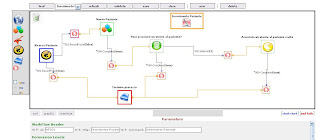
Solution: the first task is to recognize Explorer and Mozilla browser compliance. This can be surprisely done by checking browser's capability to handle XML content, that is to say wich objects the browser can use.
To achieve this target, I used those global variables:
var isIE = (window.ActiveXObject)?true:false;
var isMozilla = (document.implementation.createDocument)?true:false;
That means if you can instantiate an ActiveXObject, you are Explorer, while if you can execute che createDocument method you certanly are Mozilla compliant.
I have no documentation of the reason of those differences, exception made by the fact that Explorer fully operates with ActiveX objects).
Next step depends on the way you want to open XML data: from a file or from a string.
In the first case this is the code:
The function simply load different object is case of IE or Mozilla, and as the file is supposed to be in another domain - it can take several time to load - after the loading is called the "onContentLoad" function, in wich you do wathever you want to inizialize your application.
I used this method to load some XML templates or create a new XML document, useful to create new fragment of the defined document (insted of inserting XML logic into javascript code, is better to load a specific fragment, so if your schema definition changes, your javascript script is still effective).
I use a Java Servlet in my application, that aswers HTTP requests: one of this requests is a "loadSchema" request, with wich I receive in a string an entire XML document (wich itself describes the schema - not a XSD schema - of a specific application behavior): so the problem is to parse a string into an XML document.
This is the code:
function loadXML(xmlString)
{
if (isIE)
{
this.xmlDoc = new ActiveXObject("Microsoft.XMLDOM");
this.xmlDoc.loadXML(xmlString);
}
else if (this.isMozilla) {
var domParser = new DOMParser();
this.xmlDoc = domParser.parseFromString(xmlString,"application/xml");
}
if(xmlDoc==null)
alert("Error.");
}
Code is quite simple, so no explanation is needed.
Ending, this is the code to handle a "GET" HTTP request via Javascript (off course there can be many ways to customize this code, there are several options, but guys...this is butchering!):
var xmlHttp = null;
function requestSchema(url)
{
xmlHttp=GetXmlHttpObject()
if (xmlHttp==null)
{
alert ("Browser does not support HTTP Request")
return
}
xmlHttp.onreadystatechange=stateChangedRequestSchema;
xmlHttp.open("GET",url,true);
xmlHttp.send(null);
}
function stateChangedRequestSchema()
{
if (xmlHttp.readyState==4 xmlHttp.readyState=="complete")
loadXML(xmlHttp.responseText);
}
The "requestSchema" simply makes the GET request, and delegates "stateChangedRequestSchema" to handle the load event (calls "loadXML" passing the content received by the request, that is supposed to be a valid XML document....but you have to write down the code to check if it is correct!).
Once loaded the content in the DOM object, you can use all DOM compliance methods to navigate into your document and do wathever you want. A good and quick reference to javascritp DOM reference can be found here.
You should not be surprised or highly shocked if handling XML content is so simple: HTML is an XML based language itself, so it would have been fucking idiot not to support natively XML parsing.
Bye Bye, hope to help you!

Solution: the first task is to recognize Explorer and Mozilla browser compliance. This can be surprisely done by checking browser's capability to handle XML content, that is to say wich objects the browser can use.
To achieve this target, I used those global variables:
var isIE = (window.ActiveXObject)?true:false;
var isMozilla = (document.implementation.createDocument)?true:false;
That means if you can instantiate an ActiveXObject, you are Explorer, while if you can execute che createDocument method you certanly are Mozilla compliant.
I have no documentation of the reason of those differences, exception made by the fact that Explorer fully operates with ActiveX objects).
Next step depends on the way you want to open XML data: from a file or from a string.
In the first case this is the code:
var xmlDoc = null ;function importXML(url)
{
if (isMozilla)
{
xmlDoc=document.implementation.createDocument("","",null);
xmlDoc.onload = onContentLoad;
}
else if (isIE)
{
xmlDoc = new ActiveXObject("Microsoft.XMLDOM");
xmlDoc.onreadystatechange = function () {
if (xmlDoc.readyState == 4) onContentLoad()
};
}
else
{
alert('Your browser can\'t handle this script');
return;
}
xmlDoc.load(url);
}
function onContentLoad()As you can see I used a global variable "xmlDoc" wich is the DOM document: this is correct in a procedural coding style, but in my opinion would be better to put it into OOP style (so "xmlDoc" becomes a member of the class).
{
/* handle the loaded content */
}
The function simply load different object is case of IE or Mozilla, and as the file is supposed to be in another domain - it can take several time to load - after the loading is called the "onContentLoad" function, in wich you do wathever you want to inizialize your application.
I used this method to load some XML templates or create a new XML document, useful to create new fragment of the defined document (insted of inserting XML logic into javascript code, is better to load a specific fragment, so if your schema definition changes, your javascript script is still effective).
I use a Java Servlet in my application, that aswers HTTP requests: one of this requests is a "loadSchema" request, with wich I receive in a string an entire XML document (wich itself describes the schema - not a XSD schema - of a specific application behavior): so the problem is to parse a string into an XML document.
This is the code:
function loadXML(xmlString)
{
if (isIE)
{
this.xmlDoc = new ActiveXObject("Microsoft.XMLDOM");
this.xmlDoc.loadXML(xmlString);
}
else if (this.isMozilla) {
var domParser = new DOMParser();
this.xmlDoc = domParser.parseFromString(xmlString,"application/xml");
}
if(xmlDoc==null)
alert("Error.");
}
Code is quite simple, so no explanation is needed.
Ending, this is the code to handle a "GET" HTTP request via Javascript (off course there can be many ways to customize this code, there are several options, but guys...this is butchering!):
var xmlHttp = null;
function requestSchema(url)
{
xmlHttp=GetXmlHttpObject()
if (xmlHttp==null)
{
alert ("Browser does not support HTTP Request")
return
}
xmlHttp.onreadystatechange=stateChangedRequestSchema;
xmlHttp.open("GET",url,true);
xmlHttp.send(null);
}
function stateChangedRequestSchema()
{
if (xmlHttp.readyState==4 xmlHttp.readyState=="complete")
loadXML(xmlHttp.responseText);
}
The "requestSchema" simply makes the GET request, and delegates "stateChangedRequestSchema" to handle the load event (calls "loadXML" passing the content received by the request, that is supposed to be a valid XML document....but you have to write down the code to check if it is correct!).
Once loaded the content in the DOM object, you can use all DOM compliance methods to navigate into your document and do wathever you want. A good and quick reference to javascritp DOM reference can be found here.
You should not be surprised or highly shocked if handling XML content is so simple: HTML is an XML based language itself, so it would have been fucking idiot not to support natively XML parsing.
Bye Bye, hope to help you!
Subscribe to:
Posts (Atom)